Wifi Thermostat Basics: The Programmable Thermostat in Every Brystol Home
In this article
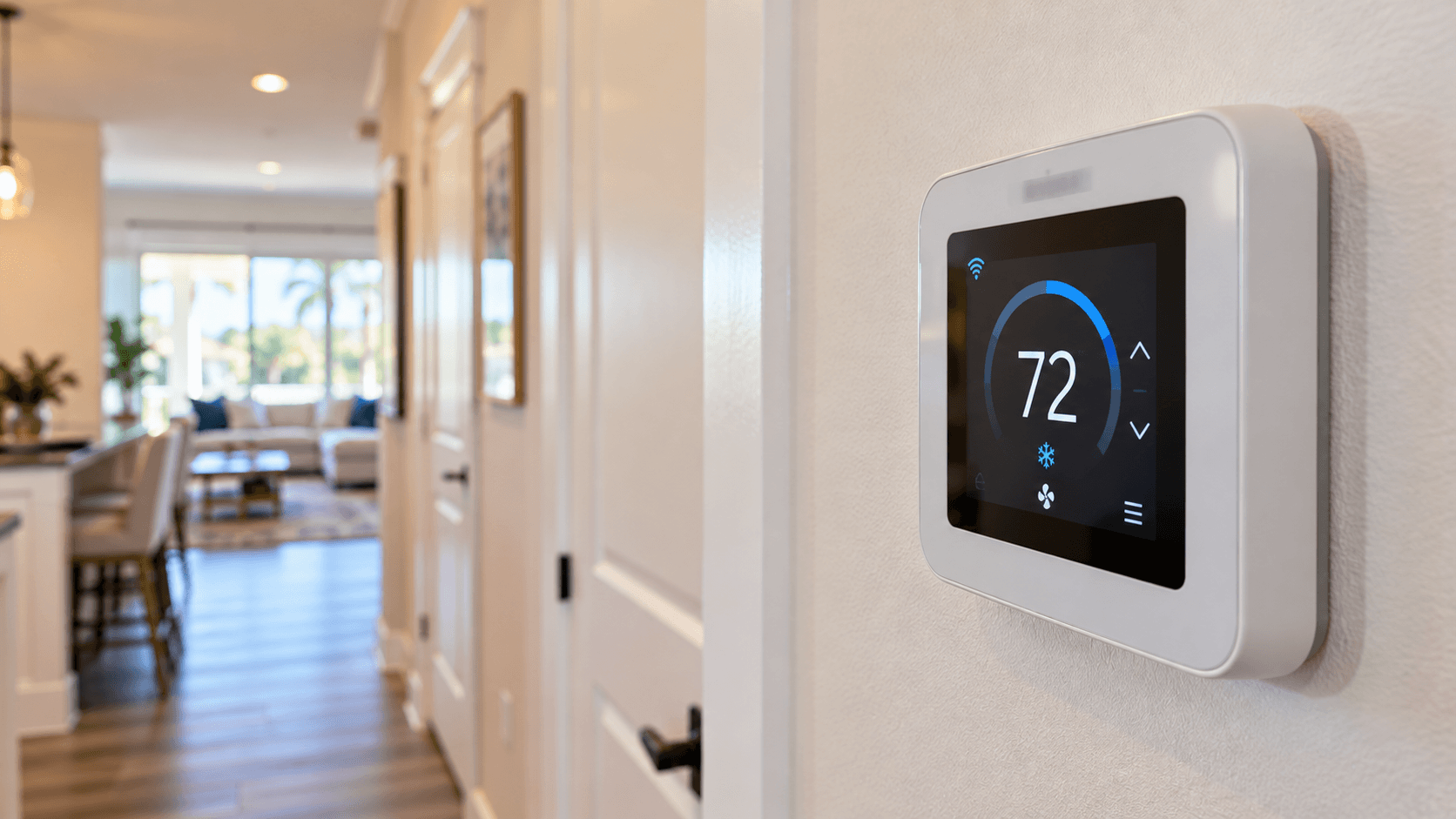
A wifi thermostat lets you change your home's temperature from your phone, and set a schedule so the air conditioning works less when nobody needs it. Every Lennar home at Brystol at Wylder comes with one. Lennar's included-features list says ""Central air-conditioning and heating system with programmable Wi-Fi thermostat."" This guide explains what that means, how to set one up to save energy in a Florida home, and what to ask at the sales office.

Programmable, Wi-Fi and Smart: What the Words Mean
Thermostat names can be confusing. The U.S. Department of Energy's Energy Saver guide separates them like this:
Type | What it does, per the Energy Saver guide |
|---|---|
Programmable | Turns the heating or air conditioning on at times you schedule, and stores several daily settings you can override |
Smart | A Wi-Fi enabled device that adjusts settings automatically, can learn the temperatures you like, and lets you control it from a phone or tablet |
Lennar's list uses the words ""programmable Wi-Fi thermostat."" That tells you two things: you can set a schedule, and it connects to your home Wi-Fi. It does not say whether it learns your habits on its own like some smart models do. Ask the sales team for the brand and model so you can look up exactly what it can do.
The Energy Saver guide also notes that smart thermostats are generally easier to use and have more features, while programmable ones ""usually don't have interactive features, but they are cheaper.""
How Much a Schedule Can Save
The Energy Saver guide says you can save ""as much as 10% per year on heating and cooling"" by turning your thermostat down 7 to 10 degrees Fahrenheit for 8 hours a day in the fall and winter, and turning it up in the spring and summer.
In a Florida home, that second half is the one you will use most. It means setting the temperature higher while you are at work or asleep, then letting the system cool the house before you come home or wake up.
There is one warning in the guide worth knowing. If your system is a heat pump, the guide says not to do deep setbacks ""without a smart or programmable thermostat designed for use with heat pumps."" Ask the sales team what kind of system the plan you like has.
You can read the full Department of Energy Energy Saver guide for more home cooling tips.

A Simple Schedule to Start With
Here is a starting point for a weekday. Adjust it to how your household really lives.
Time of day | What to set |
|---|---|
Before you wake up | Your normal comfortable temperature |
While the home is empty | A few degrees warmer |
An hour or so before you get home | Back to your normal temperature |
Overnight | Whatever helps you sleep, a little warmer if you are comfortable |
The point is to stop cooling an empty house. With a Wi-Fi model you can also change the setting from your phone if your plans change.
Why a Wifi Thermostat Matters So Much
The Energy Saver guide says air conditioning and space heating together are typically about 32% of a home's energy use. The thermostat is the part of that system you touch every day, so how you set it makes a real difference.
The guide also says thermostats that earn the ENERGY STAR label ""have been independently certified, based on actual field data, to deliver energy savings,"" and that ENERGY STAR smart thermostats are designed to work with incentive programs offered by some utilities. Ask your electric company whether it runs a thermostat program you can join.
The Department of Energy's building science pages put the big picture this way: if every home used a smart thermostat, ""we would save 56 trillion BTUs of energy per year."" You can read that page on the Department of Energy's programmable thermostat basics.
Ceiling Fans Help Too
Lennar's list says Brystol homes are pre-wired for ceiling fans in the great room, flex room, all bedrooms and the lanai, per plan. Pre-wired means the wiring is in place for a fan, so ask whether the fans themselves are included or an extra.
Fans and the thermostat work together. The Energy Saver guide says a ceiling fan ""allows you to turn up the thermostat about 4°F without any loss in comfort."" It also says to turn the fan off when you are not in the room.
Part of a Bigger Connected Home
The thermostat is not the only Wi-Fi device on Lennar's list for Brystol. The list also names:
a keyless Schlage Encode smart deadbolt on the front door;
a Wi-Fi enabled garage door opener.
If you want to know how the smart lock works day to day, our guide to the Schlage Encode smart deadbolt explains it. For a broader look at connected homes, read what makes a home a smart home.
The Thermostat and the A/C
A thermostat can only control the system it is connected to. At Brystol, Lennar lists a high-efficiency 15 SEER air conditioning and heating system. Our guide to the Brystol A/C and its SEER rating explains that number. The windows play a part too, and our guide to the non-impact low E windows Lennar lists covers how they help keep heat out.
Setting It Up on Move-In Day
When you move in, a few steps get you started:
Find the model number on the thermostat or in your closing paperwork.
Connect it to your home Wi-Fi, using the maker's app if it has one.
Set a weekday and a weekend schedule that matches your routine.
Check the filter on the A/C system and note when to change it.
Keep the manual with your other home papers.
If anything does not work, ask the builder how to report it under the warranty. Keep the app login, the model number and the install date together, since you will need them if you ever call for service.

Questions to Ask at the Sales Office
What brand and model is the thermostat in this plan?
Does it work with a phone app, and does the app cost anything?
Is the system a heat pump or an air conditioner with a heater?
Are ceiling fans included, or only the pre-wiring?
Can more than one thermostat or zone be added?
Common Questions
Do Brystol at Wylder homes come with a wifi thermostat?
Yes. Lennar's included list for Brystol at Wylder names central air conditioning and heating with a programmable Wi-Fi thermostat.
What is the difference between a programmable and a smart thermostat?
A programmable thermostat runs on a schedule you set. The Energy Saver guide describes a smart thermostat as a Wi-Fi enabled device that can adjust itself and be controlled from a phone.
Can a thermostat schedule really lower my bill?
The Energy Saver guide says you can save as much as 10 percent a year on heating and cooling by setting the temperature back 7 to 10 degrees for 8 hours a day.
Do ceiling fans help with cooling costs?
The Energy Saver guide says a ceiling fan lets you raise the thermostat about 4 degrees without losing comfort. Turn fans off when you leave the room.
Are ceiling fans included in Brystol homes?
Lennar lists pre-wiring for ceiling fans in the great room, flex room, bedrooms and lanai, per plan. Ask whether the fans themselves are included.
What other smart features does Lennar list at Brystol?
The list also names a keyless Schlage Encode smart deadbolt and a Wi-Fi enabled garage door opener.
See the Smart Features in Person
Want to try the thermostat and smart lock in a model? Call 561-704-0091 or set up a tour of Brystol at Wylder. We will help you get the brand and model details for the plan you like.
For every plan in both collections, visit the Brystol at Wylder community details.
Related reading: SEER Rating Explained: The 15 SEER Air Conditioning in Brystol Homes; Low E Windows at Brystol at Wylder: What Lennar's Non-Impact Glass Means; Schlage Encode: How the Smart Deadbolt on Every Coral Landings Home Works.